Take control of your team: how our Team Planner works

News - 4 min read.

Elma Bassa - Modified at: 24-03-2026
Deel dit artikel

Organizing an event is one thing, but managing your team smoothly on the day itself is a discipline of its own. Whether you’re working with hundreds of volunteers, a specialized security crew, or a cleaning team, everyone needs to know where they are expected and when. At Networkapp, we developed the Team Planner to replace the chaos of Excel sheets and scattered messages with an accessible dashboard that connects directly to your team’s app. You can use the Team Planner as part of your full event app, or as a powerful standalone module specifically for your crew. Curious how to stay in control? Here’s exactly how it works.

What is the Team Planner?

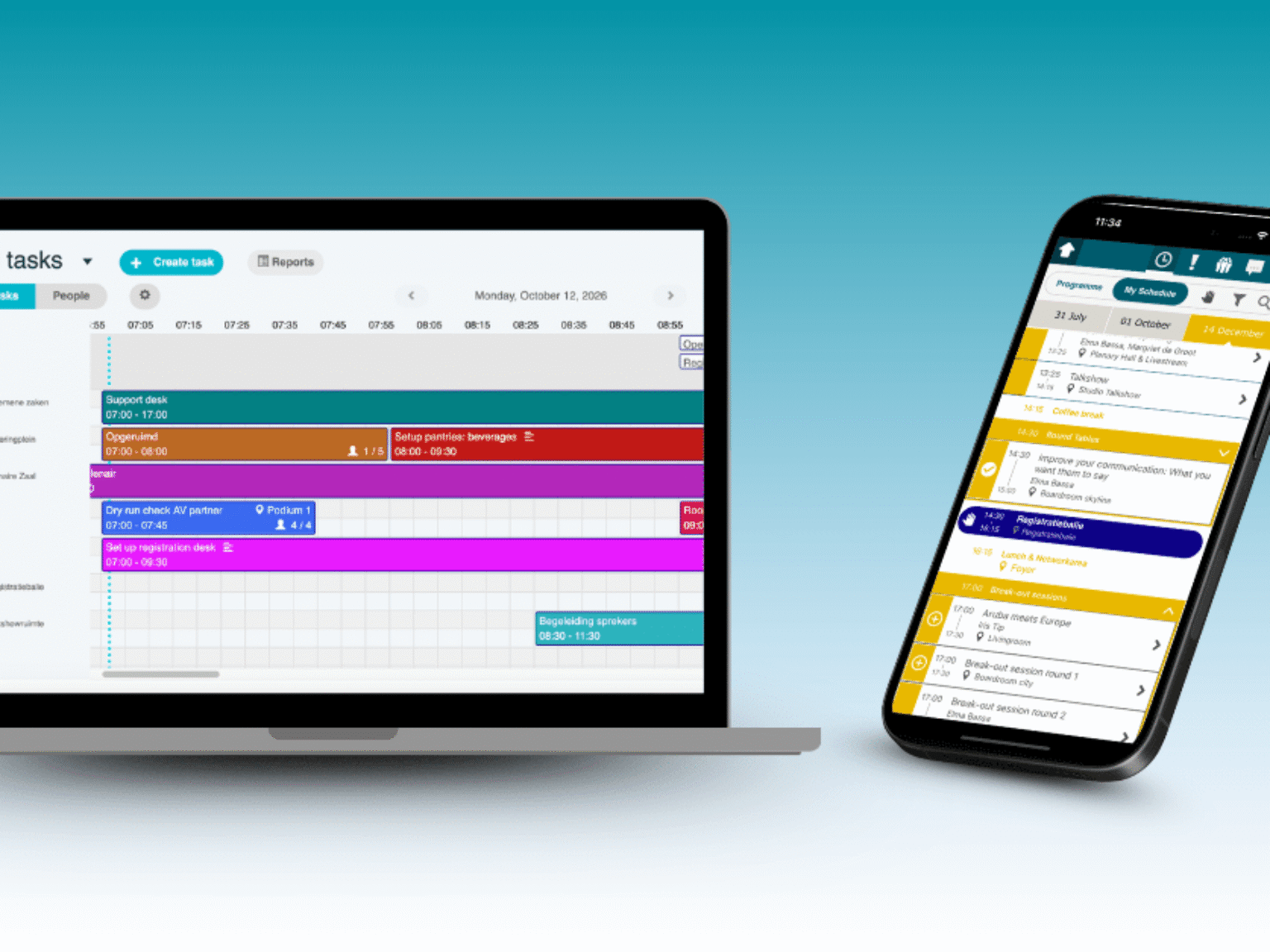
The Team Planner is a clear planning environment within the NetworkApp dashboard where you map out all tasks along your event timeline and assign team members directly to them. At a glance, you can see who is where, which tasks are staffed, and where gaps still exist. This makes the tool just as useful for a volunteer-driven conference as it is for a cleaning crew or security organization at a large event.

This approach has already proven itself in practice. Major organizations have gone before you, including NATO Summit, which relied on our Team Planner to seamlessly coordinate more than 350 volunteers. That makes it equally suitable for a complex international conference or a cleaning or security team at a large public event.

Import your team in one go

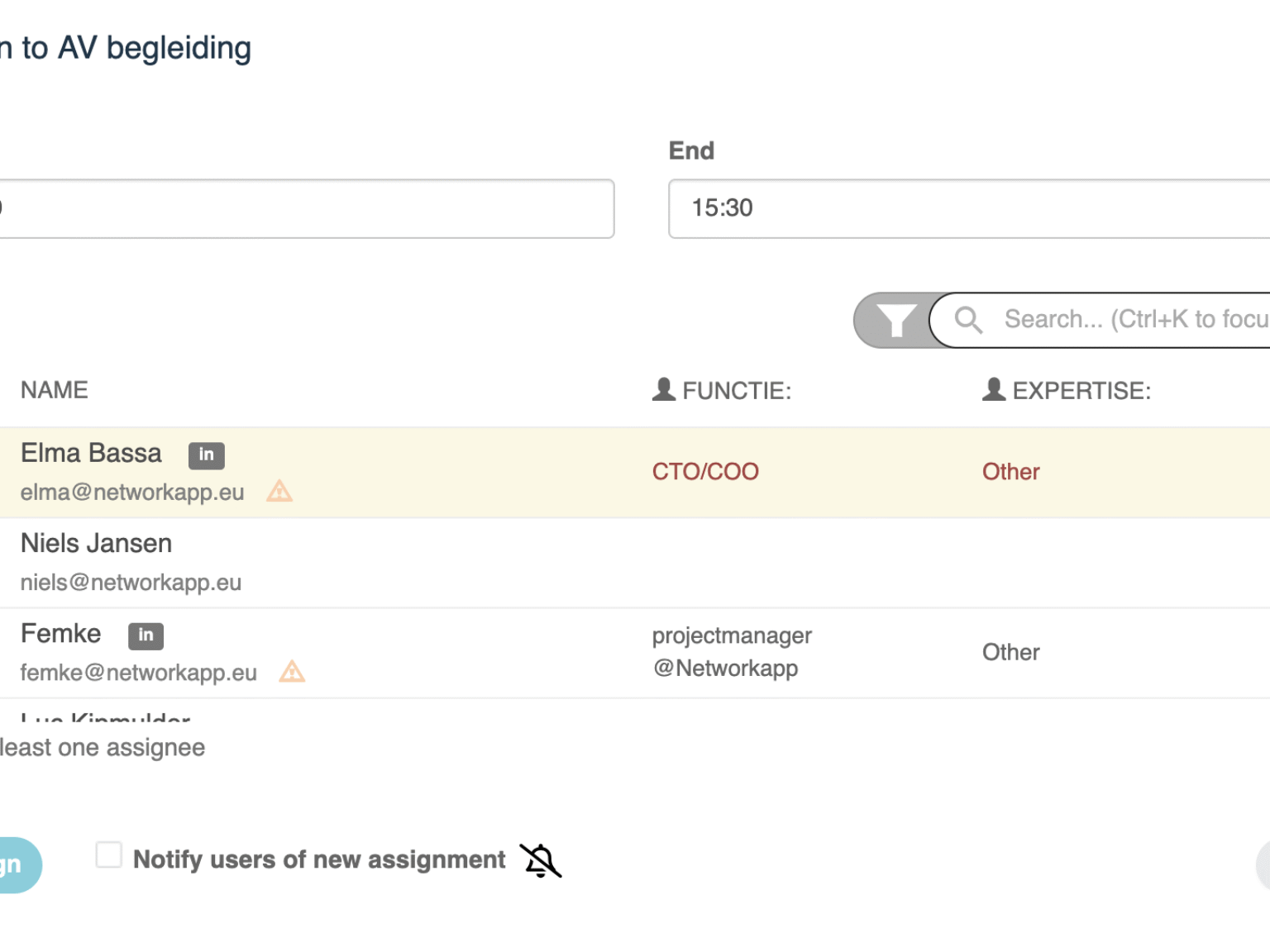
Before you start planning, you can upload your entire team list in one go: volunteers, crew, cleaning staff, security, hosts, and everyone active on the floor. Each person gets their own profile, including role, expertise, and any preferences or interests, giving you more than just a name in a spreadsheet.

Schedule tasks in time and space

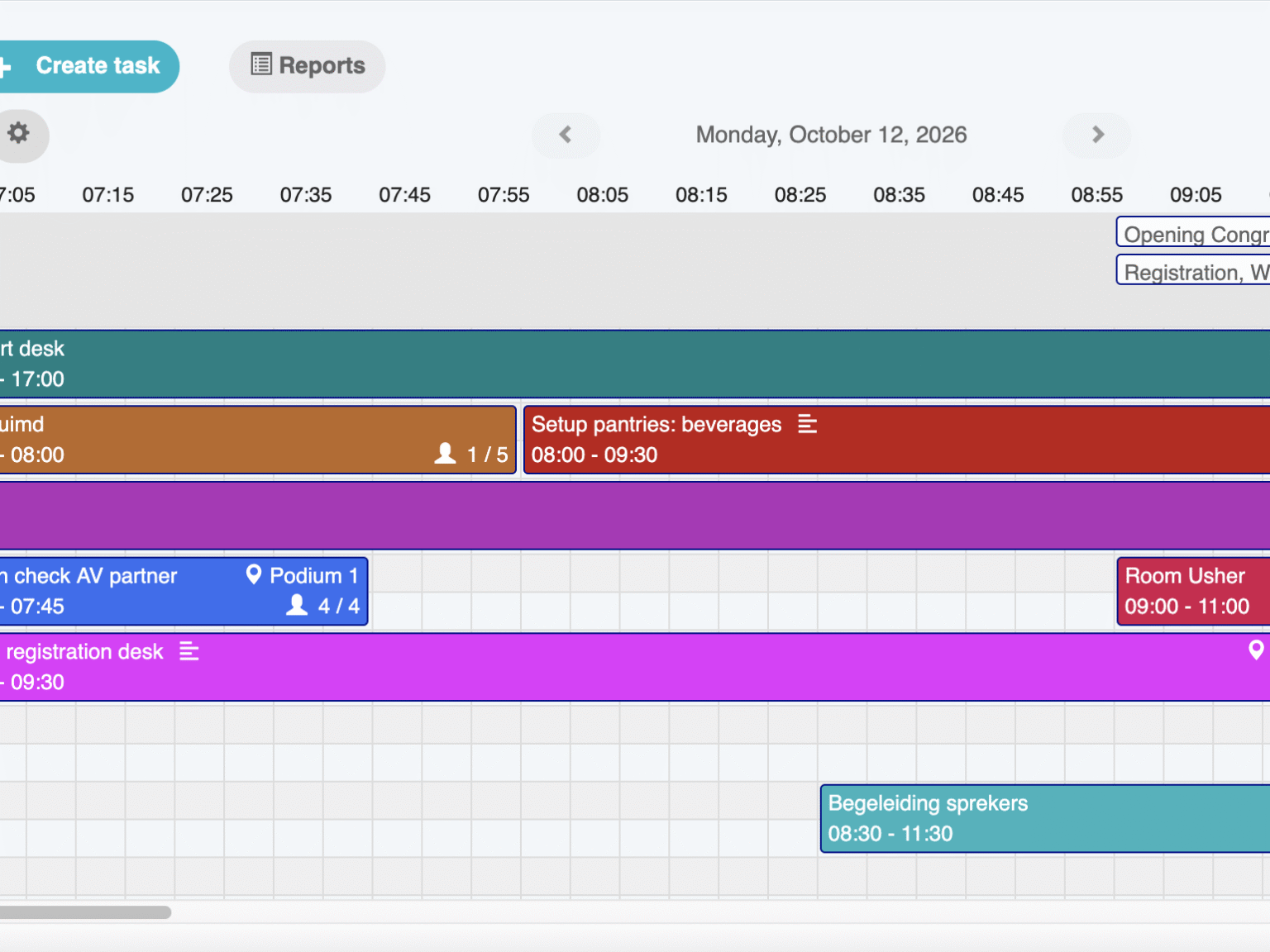
The foundation is simple: you place all event tasks on a timeline. Think of tasks like “staffing the registration desk,” “setting up room changes,” “cleaning the catering area,” “scanning access at the main entrance,” or “security at the backstage entrance.” For each task, you define the start and end time, location, and the number of people required. Working with a large team? The Team Planner helps you quickly filter by role or expertise, allowing you to find the right person in just a few clicks, such as someone with PR experience for the press desk or an experienced host for the main hall.
Clear instructions for every task

When creating tasks, you can also add a detailed description so team members know exactly what to do. For example, for “cleaning the catering area”: “Remove all trash bins, sweep crumbs from under tables, and check that floors are dry. Watch out for wet spots caused by spilled drinks.” This prevents misunderstandings and ensures everyone has the right instructions directly within the schedule.

Smart technology to reduce planning stress

Planning often goes wrong during busy moments: someone ends up scheduled at both the registration desk and a breakout room at the same time, or a security guard is double-booked at two entrances. The Team Planner catches these issues early by automatically detecting overlapping assignments. If you try to schedule someone at a time they’re already assigned elsewhere, you’ll receive a warning and conflicts will be clearly highlighted. This not only prevents last-minute panic but also eliminates endless manual checks in complex spreadsheets.

Always the right context for your decisions

Another key advantage is the context you maintain as an event manager. Above your team tasks, you can display the regular event program: plenary sessions, parallel tracks, keynotes, and workshops. While scheduling tasks, you can immediately see what is happening at the same time and where additional capacity is needed.

This makes it logical to assign extra hosts at the entrance during busy arrivals or to schedule more cleaning staff after a large lunch break. You can also view the schedule per task or per person, allowing you to instantly assess whether someone’s day is realistically planned.

For team members, it feels like a personal agenda

For your team, the result feels familiar: in the NetworkApp, they simply see their personal schedule, filled with tasks instead of sessions. Instead of searching through an Excel sheet, a volunteer can open the app and see: “08:00–09:00 registration desk,” “09:30–11:00 hosting room 2,” “13:00–14:00 cleaning the catering area.”

If they prefer, they can choose to display only their tasks without the regular attendee program. And if changes occur last-minute, such as a different room, extra support at an entrance, or a shifted task, you can send a notification so team members automatically receive updates.

Stay in control of your team planning

Whether you manage a team of five or five hundred, the Networkapp Team Planner brings the focus back to what matters: delivering a seamless experience for your team. You not only save hours of manual administrative work in error-prone spreadsheets, but also provide your team with the professional tools they need to perform at their best.

With the Team Planner, you stay fully in control, from the first setup minute to the final cleaning round. Have questions about the feature? Get in touch with us!

Do you want to stay informed about Networkapp and the latest trends?

Like to discover what the app can do for you? Try out