Skip to content

NETWORKAPP'S ONLINE EVENT PLATFORM

An online event that doesn’t end up as a webinar with a dead chat

Most online events don’t fail because of technical issues. They fail because people don’t get to meet each other. The stream is running, the speakers are doing their jobs, and afterward, no participant knows who else was in the same room. Networkapp solves this by combining the program and the networking features into a single environment, so that during a session, participants can see who else is watching and why that person is interesting.

Your attendee enters prepared

Attendees open the platform days before the event. They build their schedule, see which sessions are filling up, complete their profile, and post a call to action regarding a challenge they are facing. Those who orient themselves beforehand do not step into a stream cold on the day itself. That won’t save you technical support, but it does eliminate the awkward silence at the start.

Networking without anyone having to approach a stranger

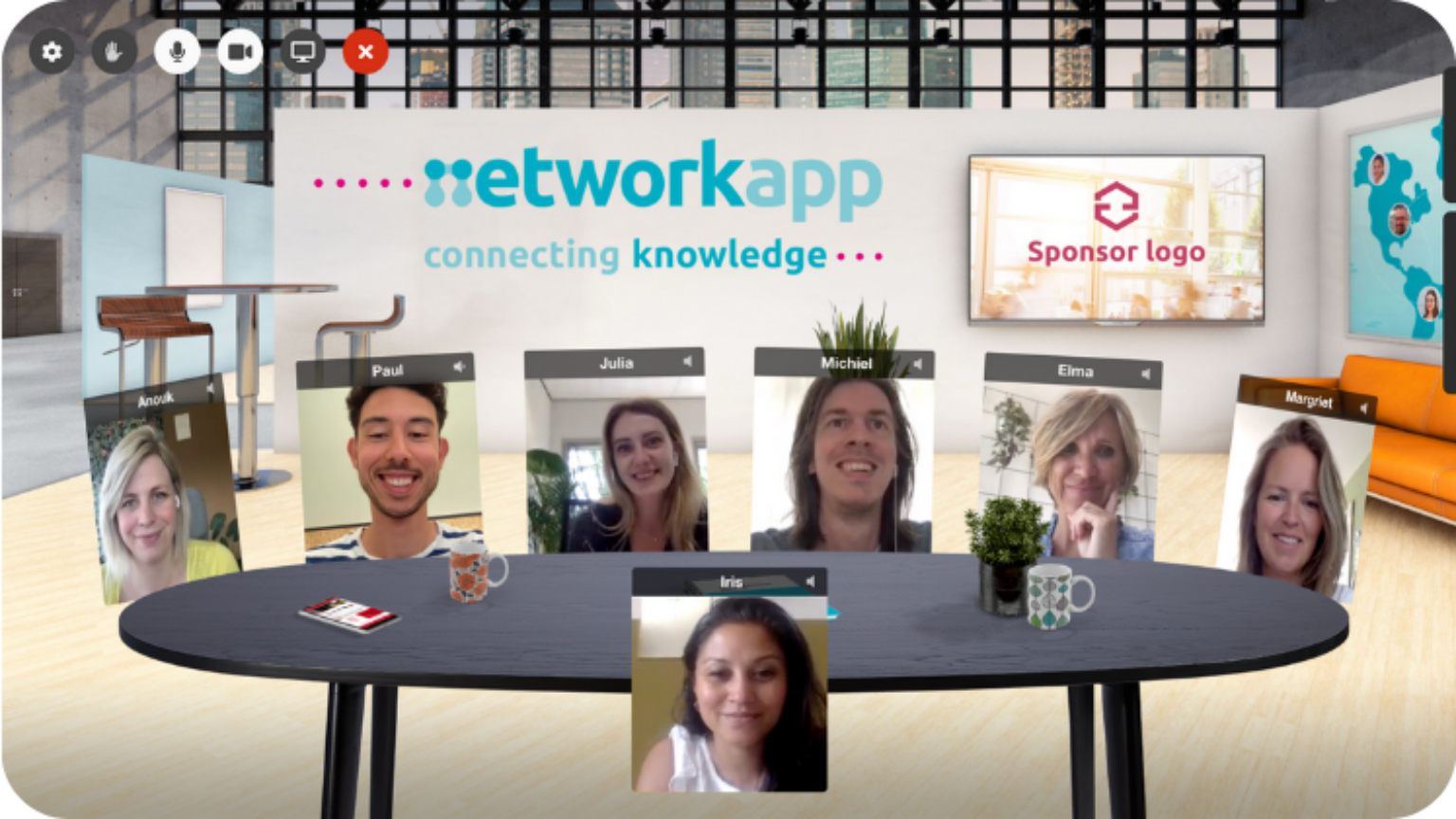
Online networking usually fails because the barrier to entry is higher than in-person. There is no coffee table to walk up to and join. That is why Networkapp uses theme-based posts, a participant list that filters by profile, and suggestions based on what someone has filled out. Attendees can schedule a ten-minute video call with each other, or join a virtual meeting room for a roundtable discussion with eight others.
One setup, three formats

You set up the event just once. Whether it ends up being hybrid, or shifting entirely to an on-site format, you can switch formats without starting over. The program, attendees, sponsors, and integrations remain intact. For organizations planning six months ahead in an uncertain schedule, that is the difference between making adjustments and starting from scratch.

Your streaming, your choice

Integrate Vimeo, YouTube, or your own webinar tool. If you want studio-quality without the studio costs, you can stream from any location using YourBroadcast, featuring remote control and a greenroom for speakers. The platform does not lock you into a single vendor.

The conversation doesn’t stop immediately afterwards

The event remains open for four weeks after the final session. Attendees continue discussions, share documents, and schedule the meetings they couldn’t fit in during the day. If you want to keep going longer, you transition to a community app, keeping the same group accessible year-round.

What you do yourself and what you outsource

You set up the platform yourself via the dashboard. If you are short on time, an Event Tech Specialist can take over part or all of it: intake, setup according to a checklist, attendee onboarding, and a post-event evaluation. You receive an upfront estimate of hours, so you know what to expect.

Frequently Asked Questions About Online Events

Can I switch to hybrid mode shortly before the event?

Yes. The setup is the same for live, online, and hybrid events. You simply switch the format in the dashboard; the program and the participant list remain the same.

Elma Bassa
CEO & Founder

Schedule a live event app demo.

Elma Bassa will show you all key features of the app and dashboard in +/- 20 minutes.
No hassle, just a direct answer to whether it fits your event.

You will receive a link for your selected date and time within 24 hours (Mon - Fri).